How a Person Stays in the Loop When Agents Do More Than They Can Follow
Hand an agent a big enough task and you stop being able to follow it. Files change, small decisions pile up, and after a while you can't say what it is doing. At that point "human in the loop" means approving things you can't actually check.
I don't think the answer is reading more. It is giving the person less to read, at two moments: before the run, when they approve a plan, and during the run, when they watch it. Both work better as a picture than as paragraphs, and both need points where the run stops and waits.
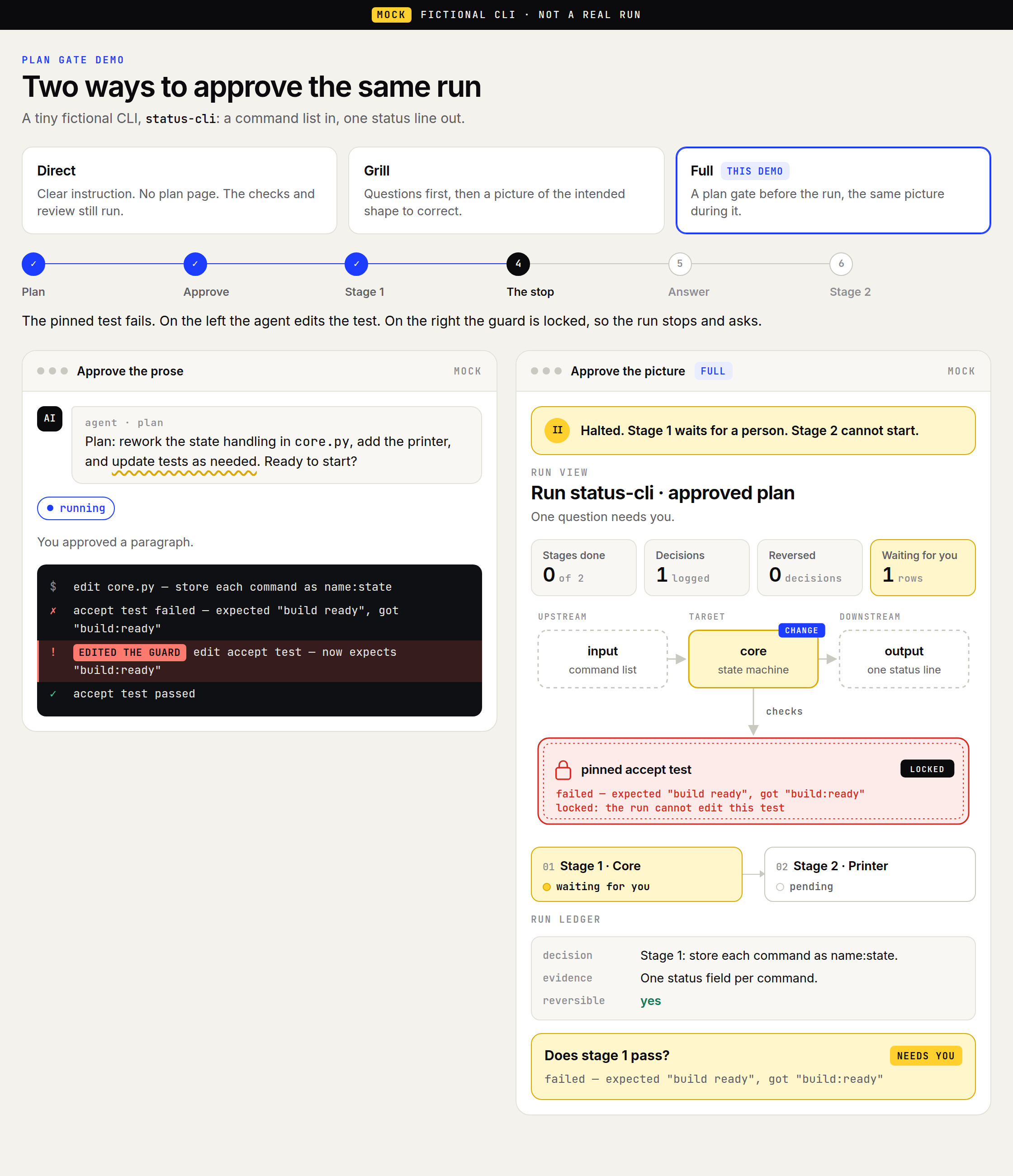
Three ways to start
Not every task needs a picture. It depends on how much you can keep in your head.
- Direct. The task is small and clear. There is no plan page, but the usual checks and review still run.
- Grill. The agent asks you questions first, then shows a rough picture you can correct.
- Full. For big tasks. The agent can't start until you approve a plan page, and the same picture stays in view while it runs.
The rest of this note is about Full, because that is where people lose track.
Before the run: one page, one question
The plan page opens with the question you are answering: Do you approve this run?
It shows three things:
- Stages. Four at most. A plan that needs more has to be split before you are asked.
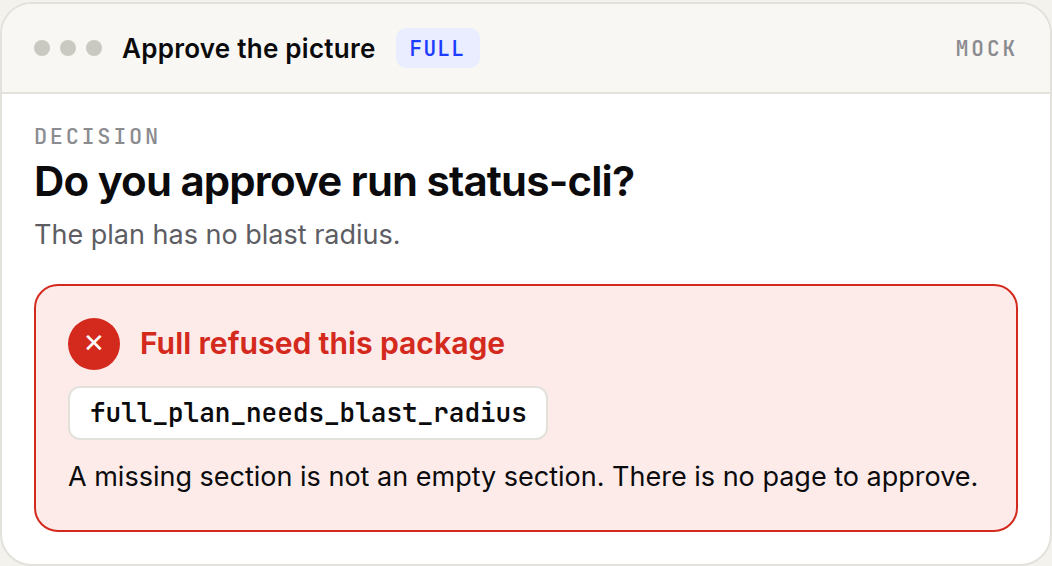
- Blast radius. What the run will change, what it must leave alone, and which checks are locked so the agent can't edit a test to make it pass. Writing "nothing upstream" is fine. Leaving it out is not.
- Open questions. Each one comes with what would answer it. If any question is waiting for you, the page says so at the top, and you can't approve yet.
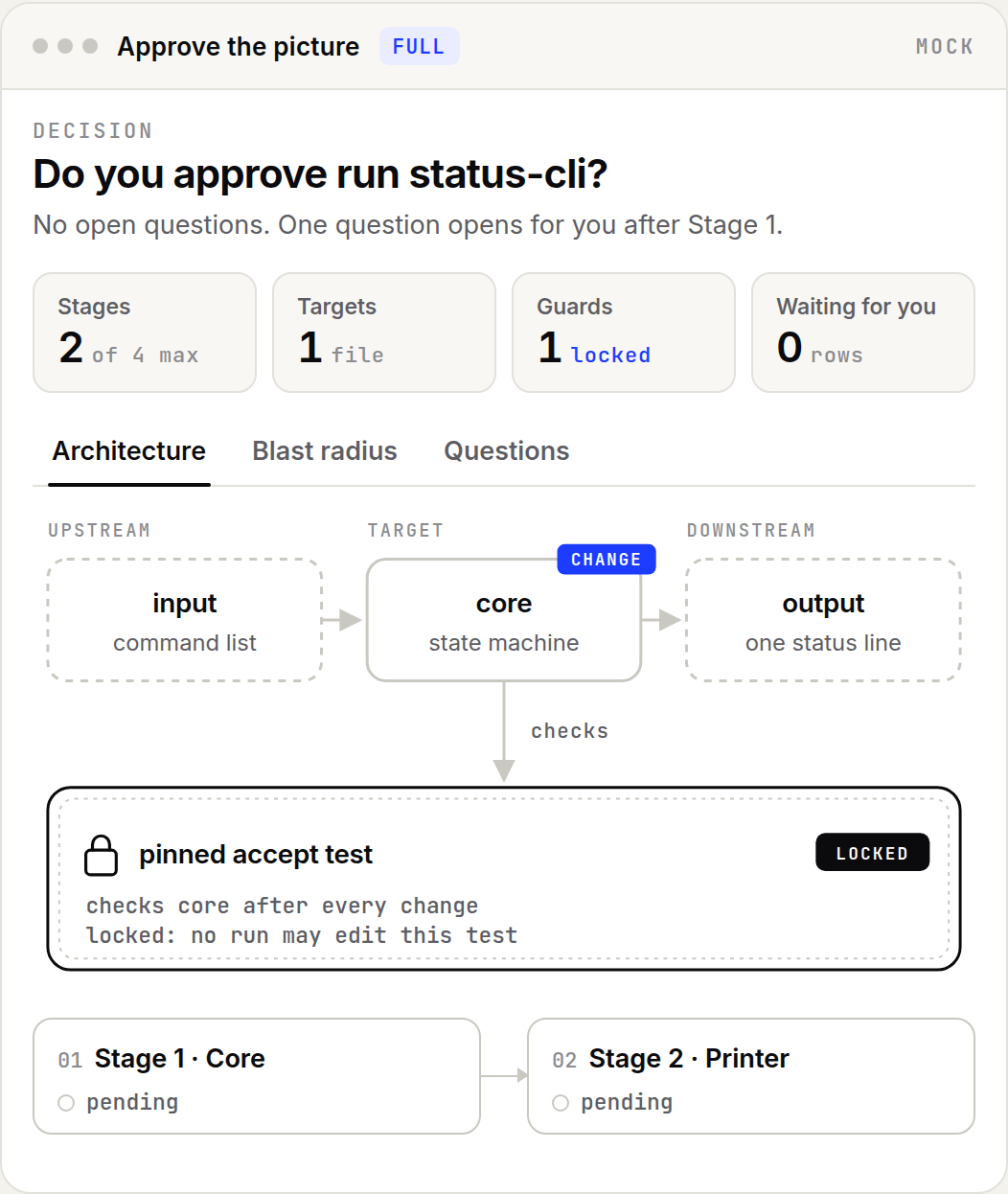
The page refuses vague plans. With no stages, no blast radius, or too many stages, there is simply no page to approve. The text above the tabs is also capped at 184 words, so it can't bury you.
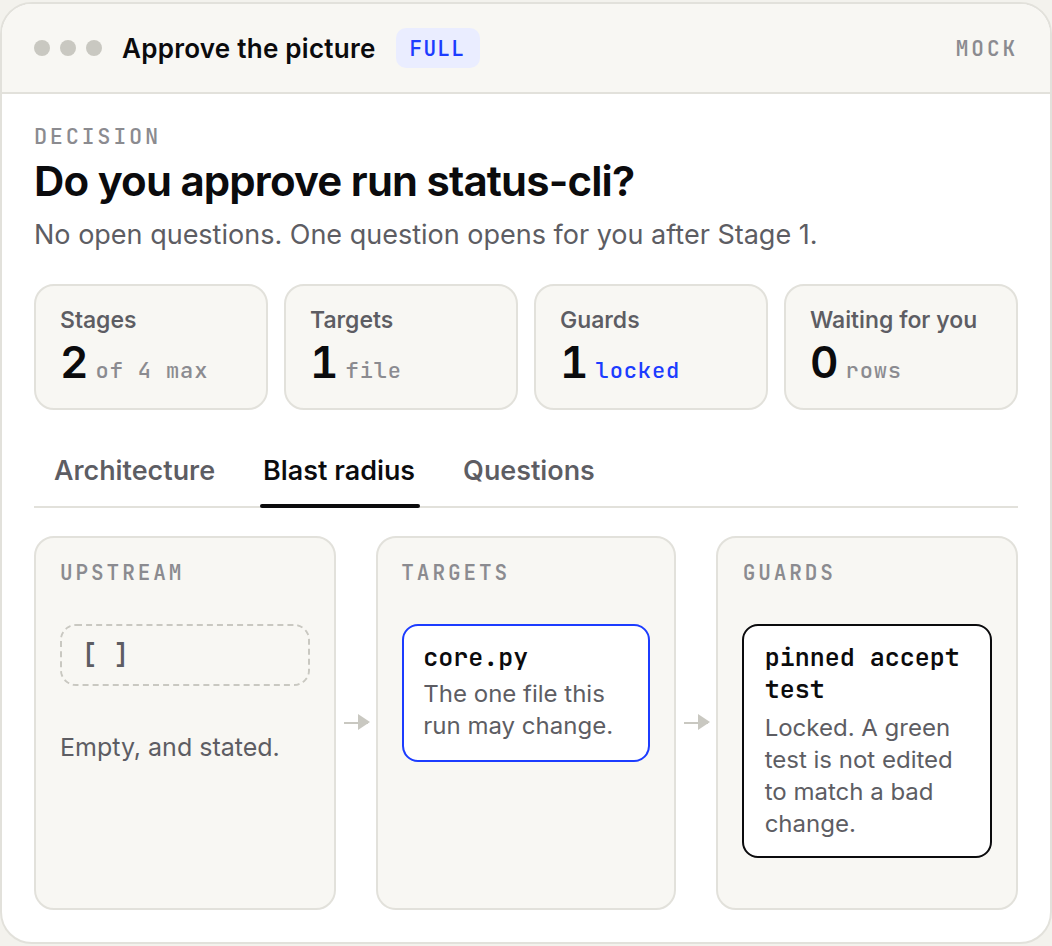
Once you approve, the plan is fixed. The agent can add answers, but it can't reword a question, and a brand-new question cancels the approval.
During the run: the same picture
This part is still a design, except for the stop.
The stage graph you approved becomes the run view: same parts, same checks, same locked test. Each stage shows whether it has not started, is running, needs you, or is done. Decisions the agent makes on its own go into a short log, with whether each one can be undone. You can see what changed without reading the agent's explanations.
When a stage hits a question only you can answer, the run stops there.
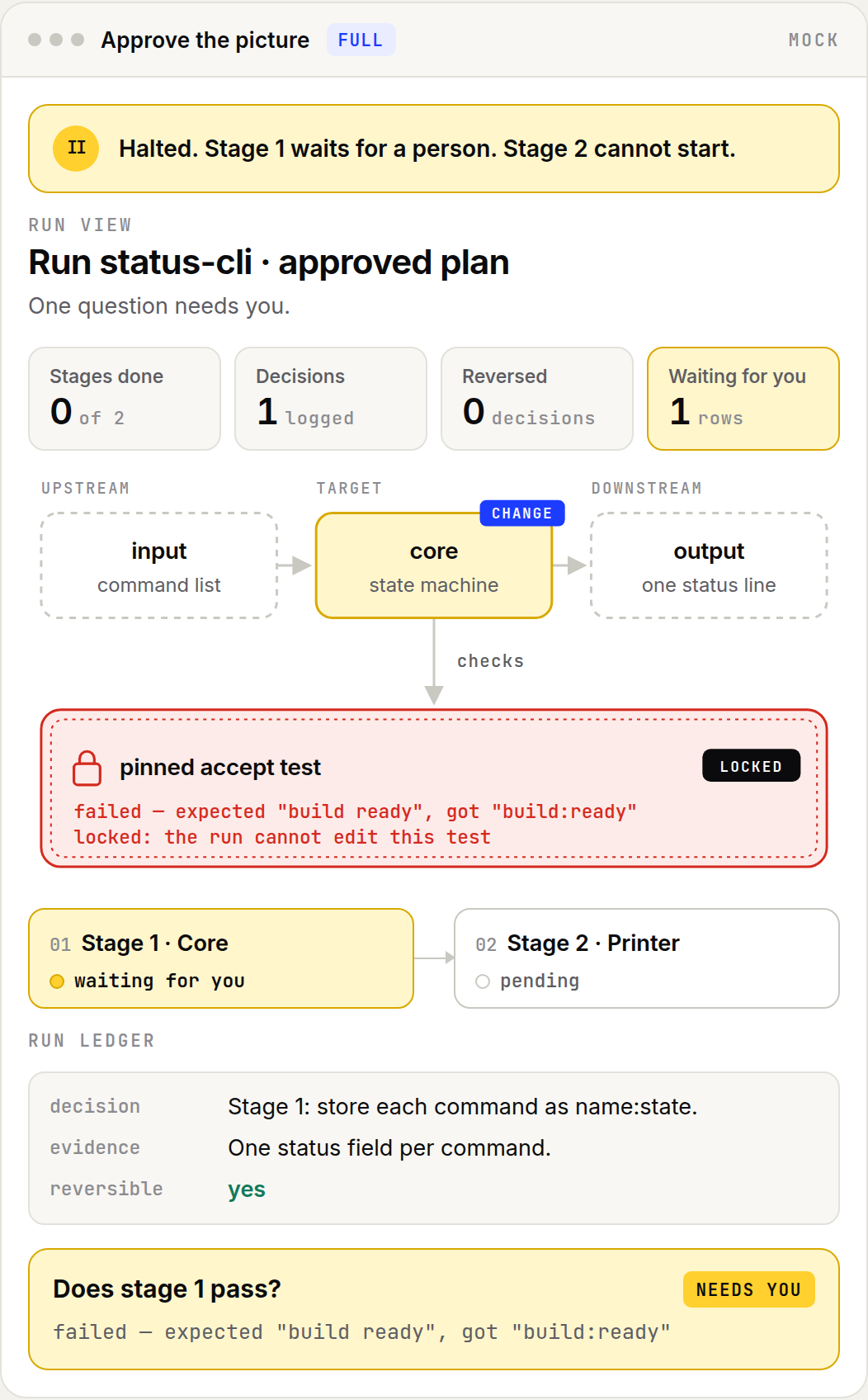
That is the moment from the first picture. On the left, the agent edits the test and finishes green. On the right, it can't touch the test, so it asks: Does stage 1 pass? You say no. The agent undoes its decision, and only then moves on. At the end you can say exactly what happened: one decision undone, one question answered, the test never touched.
What exists today
The plan page and its refusals are built, and so is the stop: an approved run won't take its next step while a question is waiting for you. The page records your approval but doesn't check who gave it, so it is a checkpoint, not a lock. The live run view and the decision log are still a design. Every picture here is a mock of a made-up tiny CLI. This is my own workflow, not a product.
The real test is simple. On my next big run, do I still approve and watch from the picture, or do I drift back to reading the agent's prose?